QuickMD - Online Healthcare
- 4.8
- Rating
- 100.00K
- Installs
- Free
- Price

 Analysis by App-foxy
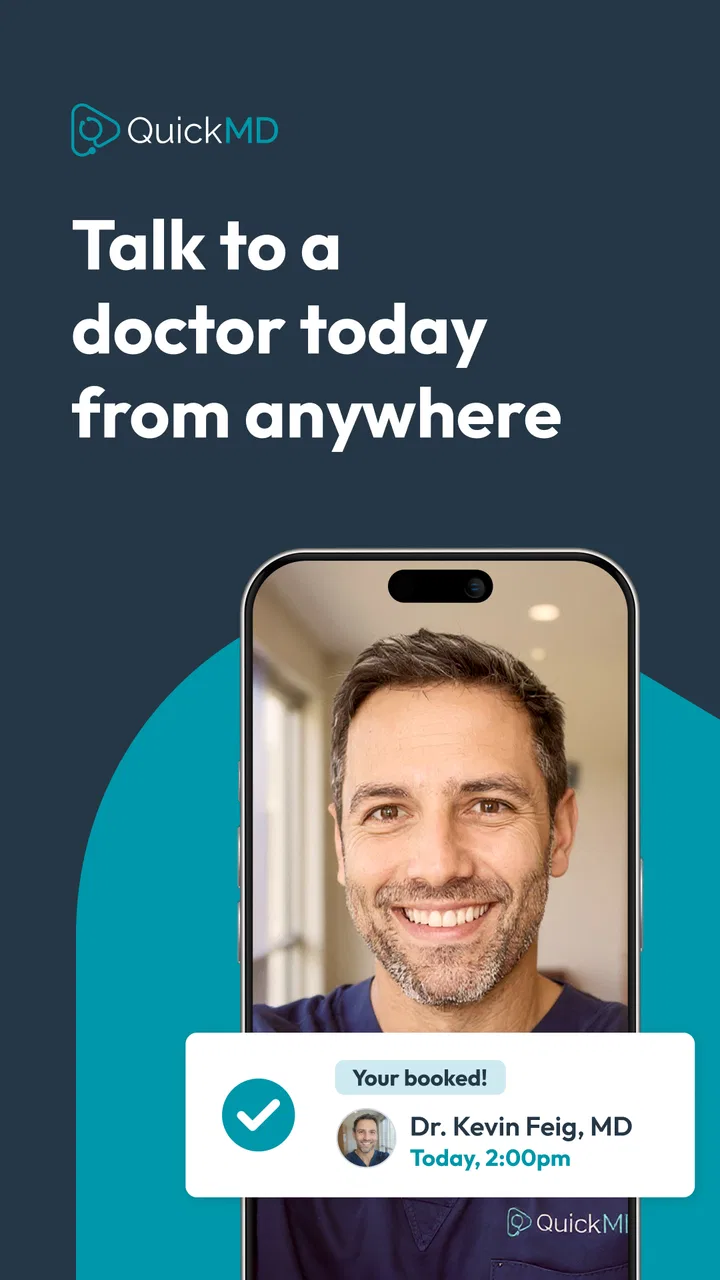
When I need medical guidance but do not want to spend hours arranging an in-person visit, QuickMD - Online Healthcare is the kind of app I would keep available for a practical reason: it puts a telehealth visit within reach on a phone. It is a free medical app from QuickMD - A Telemedicine Urgent Care Service, aimed at people who want to speak with a healthcare professional remotely rather than begin with a traditional clinic visit.
My view is positive, but not blindly enthusiastic. QuickMD is most useful when the problem is suitable for remote care, the situation is not life-threatening, and convenience matters. It is not a replacement for emergency services, physical examinations, imaging, laboratory work, or a clinician who already knows your complete medical history. That distinction is important, because the app’s value comes from choosing the right kind of situation for it.
What the app feels like in everyday use
The current experience is built around a simple telehealth idea: use the phone as the starting point for a medical visit. The store summary describes visits seven days a week, which makes the service more practical for a weekend concern or an inconvenient weekday problem. I see that availability as one of its strongest reasons to exist, especially for people whose work, transport, childcare, or location makes a conventional appointment difficult.
You May Also Like

 Blood Strike: 2.5 Anniversary
Blood Strike’s Loadouts Turn Every Drop Into a Tactical Gamble
A close look at Blood Strike’s custom loadouts: how fast access to signature weapons reshapes its battle royale rhythm, rewards preparation, and narrows the gap between fights.

 Pandora - Music & Podcasts
Pandora’s Music Is Easy to Start, but Harder to Recover
Pandora’s strength is its low-effort path from a seed to a station. Its weak spot is how much confidence it asks you to place in connection, setup, and quiet recovery.

 8 Ball Pool
 Is Built on Rivalries, Rematches, and Routine
A close look at the rivalries, rematches, shared routines, and unanswered safety questions that turn a quick pool match into a persistent mobile community.

 Samsung Music
’s Quiet Strength Is Playing What You Already Own
Its reach comes less from spectacle than from dependable access to a personal library. That simplicity is both the app’s strongest retention engine and its ceiling.

 AccuWeather: Weather Radar
AccuWeather Review: A Quick, Clear Forecast for Everyday Decisions
For everyday plans, the best forecast is the one you can understand quickly. AccuWeather makes rain timing, radar, and local conditions easy to act on, with a few trade-offs.

 Hill Climb Racing
Why Hill Climb Racing Still Turns Crashes Into One More Run
A tiny car, a bumpy hill and one more upgrade: Hill Climb Racing keeps resurfacing because its simple chaos makes every near-miss feel personal.
More From Our News Desk



A realistic example would be waking up on a Sunday with a health concern that feels uncomfortable but not dangerous. Instead of waiting until the next working day just to ask whether it needs attention, I could use QuickMD to begin the process remotely. The important benefit is not that every issue can be solved through a screen; it is that the app can help me decide what to do next without automatically turning a minor concern into a long clinic visit.
The app is listed for Everyone, which fits its broad purpose, although that should not be confused with being suitable for every medical situation. A child, older adult, or person with limited technical confidence may still need help handling the phone, describing symptoms, or following the clinician’s instructions. The interface may make access easier, but it cannot remove the need for clear communication.
How QuickMD fits into the medical app category
Many medical apps focus on one narrow task: medication reminders, symptom information, appointment booking, fitness tracking, or access to a particular health record. QuickMD takes a different route by centering the remote visit itself. That makes it more directly useful when I need professional input rather than another article telling me what a symptom might mean.
Compared with a standard urgent-care clinic, the obvious advantage is convenience. I do not have to travel before finding out whether the issue is appropriate for a remote consultation. Compared with a general symptom checker, the advantage is human judgment. A symptom checker may help me organize thoughts, but it does not replace a conversation with a healthcare professional.
There is also a trade-off. A physical clinic can examine the body, measure vital signs using its equipment, collect samples, and respond immediately if the situation changes. QuickMD cannot provide that same physical setting through a phone. For a straightforward concern that can be discussed clearly, remote care may be enough. For symptoms that require hands-on assessment, the usual alternative is better.
How the current version affects the experience
I find the current version most useful when I treat it as a ready-to-use route into a conversation, rather than something to install while I am already worried. Checking that it opens and that I can navigate its starting steps ahead of time can make a shared-device handoff calmer, while keeping the person seeking care in control of their own account and answers. That practical preparation also makes it easier to judge whether the app suits the household’s needs.
What the version information tells me
The current version is 24.1064.212730, and the app requires Android 9 or newer. I would treat that as a useful practical checkpoint before trying to rely on the service. If the phone is older or has not been updated for a long time, checking compatibility before a time-sensitive consultation is sensible. A healthcare app is not much help if it cannot be installed or opened when I need it.
The app was released on October 25, 2019, so it is not a brand-new experiment. Its continued presence, together with the current version number, suggests an established product that has gone through ongoing software maintenance. I would still separate that from a promise about clinical quality: software updates can improve access and reliability, but they do not tell me whether a particular medical problem is appropriate for telehealth.
For someone who has used the app before, a newer version can mean that the basic workflow has changed slightly. Buttons may move, sign-in steps may look different, or the way a visit is started may be refined. My practical advice is to open the app before an urgent need, confirm that the account is usable, and become familiar with the first screen. That small preparation can prevent avoidable stress when I am already unwell.
What existing users should check before a visit
I would prepare the same information I would bring to a clinic: the main symptom, when it started, whether it is getting better or worse, current medicines, allergies, relevant medical conditions, and any recent changes that might matter. A remote visit depends heavily on the quality of the description. Vague phrases such as “I feel strange” are less helpful than explaining what changed, how severe it feels, and what makes it better or worse.
A useful but easily missed step is to prepare the physical surroundings. I would choose a quiet place, keep the phone charged, and have any relevant medication packaging nearby. If the clinician asks about a product, dose, or previous instruction, reading the label is safer than guessing. This is a small workflow improvement, but it can make the conversation more focused and reduce the chance of forgetting important details.
I would also avoid treating a successful connection as proof that the issue is minor. If symptoms become severe, suddenly worsen, or appear dangerous, the correct response is to seek emergency help rather than continue trying to solve the problem through an app. QuickMD is a route to remote medical care, not an emergency response system.
Where the app is especially convenient
The seven-day visit schedule is particularly useful for people who cannot easily fit traditional healthcare into a normal weekday. A parent may need advice while caring for a child at home. A worker may be unable to leave a shift. Someone without easy transport may prefer to start with a remote consultation. In each case, the app lowers the practical barrier to asking for help.
It can also be useful as a first step when I am uncertain whether I need a clinic. That does not mean the app can make every decision for me, but a professional conversation may clarify whether home care, an in-person appointment, or more urgent attention makes sense. The value is often in avoiding the wrong next step, not in expecting the app to handle the entire medical journey.
Another strength is that the service does not require me to frame my need around a particular tracking feature. I am not opening it merely to record a number or read a reminder. I am opening it because I want access to a telehealth visit. That focus makes the app easier to understand than a large health platform filled with unrelated tools.
Where the usual alternatives remain stronger
I would not choose QuickMD as my only healthcare option. A primary-care clinician remains better for ongoing conditions, preventive care, repeated symptoms, and decisions that depend on a detailed history. A local clinic is stronger when an examination, test, procedure, or immediate observation is needed. Emergency services are the right choice for severe or potentially life-threatening symptoms.
I would also be cautious if I struggle to explain symptoms, cannot use the phone reliably, or need someone to physically assess me. Remote care works best when the patient can communicate clearly and follow the next-step advice. If that is not realistic, arranging in-person support may be more appropriate than forcing the situation into a digital visit.
The app may also be a poor fit for someone who expects a complete medical record, long-term treatment relationship, or instant resolution of every concern from one consultation. Those expectations belong more naturally to an established healthcare provider. QuickMD is better understood as an access point for suitable telehealth needs.
Trust, popularity, and what they do not prove
QuickMD has an average rating of 4.8 from around four thousand ratings, with roughly 1.2 thousand written reviews. It has also passed the 100-thousand-install mark. Those figures make the app look well received and widely used, and they give me more confidence than an app with no visible user history.
Still, ratings should be read in context. A high score can reflect a smooth sign-up experience, convenient access, or a helpful visit, but it cannot guarantee that the next consultation will suit my particular symptoms. Medical needs vary too much for a single average to replace judgment. I would use the rating as a sign of general user satisfaction, not as evidence that the app is appropriate for an emergency or complex condition.
The developer name, QuickMD - A Telemedicine Urgent Care Service, clearly communicates the product’s focus. That clarity is helpful: I know I am looking at a telemedicine service rather than a wellness tracker or a reference encyclopedia. Even so, I would still read the in-app instructions carefully and make sure I understand what kind of care I am requesting before beginning.
Small habits that make the app more useful
My first recommendation is to use QuickMD before the situation feels rushed. Installing it, opening it, and checking the basic account flow while healthy is more sensible than waiting until a late-night concern. This does not guarantee that every visit will be immediate or suitable, but it removes one avoidable obstacle.
My second recommendation is to write a short symptom timeline before connecting. Three or four clear points—when it began, what changed, what I tried, and how I feel now—can be more useful than a long unfocused explanation. This is especially important when stress makes it difficult to remember details during a consultation.
My third recommendation is to keep the app’s advice connected to a broader plan. If the clinician recommends in-person care, I would treat that as the result of the consultation rather than as a failure of the app. Telehealth is working well when it helps me reach the right level of care, even if that level turns out to be a physical clinic.
What I would like to see watched over time
For future use, I would pay attention to how consistently the app handles the complete journey, not just the first connection. The important questions are practical: can I start a visit without confusion, can I communicate comfortably, can I understand the next step, and can I return to the relevant information when needed? Those are the areas that determine whether a telehealth app becomes dependable or remains something I open only once.
I would also watch how the product evolves across later versions. The current version shows active software maintenance, but the real test for existing users is whether updates make access clearer without adding unnecessary friction. Medical apps should feel calm and predictable. A redesign that looks modern but makes it harder to find a visit or understand instructions would be a step backward for me.
Another point worth watching is how well the service fits people with different levels of digital confidence. A fast workflow is valuable, but clear language, readable screens, and straightforward guidance matter just as much. The best telehealth experience is not the one with the most visible features; it is the one that helps a worried person take the correct next step.
My final recommendation
I recommend QuickMD - Online Healthcare to adults who want a convenient way to begin an appropriate remote medical consultation and who understand the boundaries of telehealth. Its free price, broad age rating, established release history, and strong user response make it an appealing option to keep available, particularly for concerns that arise outside a normal clinic schedule.
I would skip it as a substitute for emergency care, a physical examination, continuing primary care, or any situation where symptoms are severe or difficult to describe remotely. For those needs, an in-person professional or emergency service is the better choice. Used with that judgment, QuickMD feels less like a promise to solve every health problem and more like what I want from a medical app: a convenient, focused doorway to professional guidance when reaching a clinic is not the easiest first move.
FAQs for QuickMD - Online Healthcare
01What services does QuickMD offer?
QuickMD provides online healthcare services, including virtual doctor consultations, prescription refills, and mental health support. Users can access a wide range of medical professionals for various health concerns, all from the comfort of their home. The app aims to facilitate easy and timely medical assistance without the need for in-person visits.
02Is QuickMD available 24/7?
Yes, QuickMD offers 24/7 availability for consultations, ensuring that users can reach a healthcare professional at any time. This feature is particularly useful for urgent medical needs or for those with busy schedules who require flexible healthcare access outside regular office hours.
03How secure is my personal information on QuickMD?
QuickMD prioritizes user privacy and data security. The app employs advanced encryption technologies to protect personal and medical information. Compliance with healthcare regulations, such as HIPAA in the United States, ensures that user data is handled with the highest standards of confidentiality and security.
04Can QuickMD prescribe medication?
Yes, QuickMD doctors can prescribe medication during consultations if deemed necessary. Users can have these prescriptions sent directly to their local pharmacy for convenient pickup. However, there are limitations based on medical guidelines, and not all medications may be prescribed through virtual consultations.
05How much does a consultation on QuickMD cost?
Consultation fees on QuickMD vary depending on the type of service needed. Typically, prices are competitive and more affordable compared to traditional in-office visits. The app may offer different payment options and accept insurance, making it accessible to a broader range of users. It's advisable to check specific costs within the app before booking.
Pros
- Convenient access to doctors anytime.
- Prescription refills without clinic visits.
- Secure and private consultations.
- User-friendly interface with easy navigation.
- No need for insurance to use services.
Cons
- Limited to specific conditions and services.
- Not available in all states or regions.
- Requires stable internet for video calls.
- Consultation fees may vary.
- No physical examination possible.

QuickMD - Online Healthcare
Gallery